MyBags
An easy-to-use inventory addon for bags, bank, and warband with manual and automatic categorization and simple layout control.

Disclaimer: I do this for fun. I do this mainly for myself :). There are other great bag addons like Baganator, BetterBags or Bagnon with great support, but just lacked the flexibility in the setup of the bags that I wanted. I am exposing it though so it was easier for my friends who wanted to use it to download it :)
Easy layout adjustments
Drag a category header onto another category to reorder it
Hold
Shiftwhile releasing the drag to move the dragged category together with all categories below it in that source column.
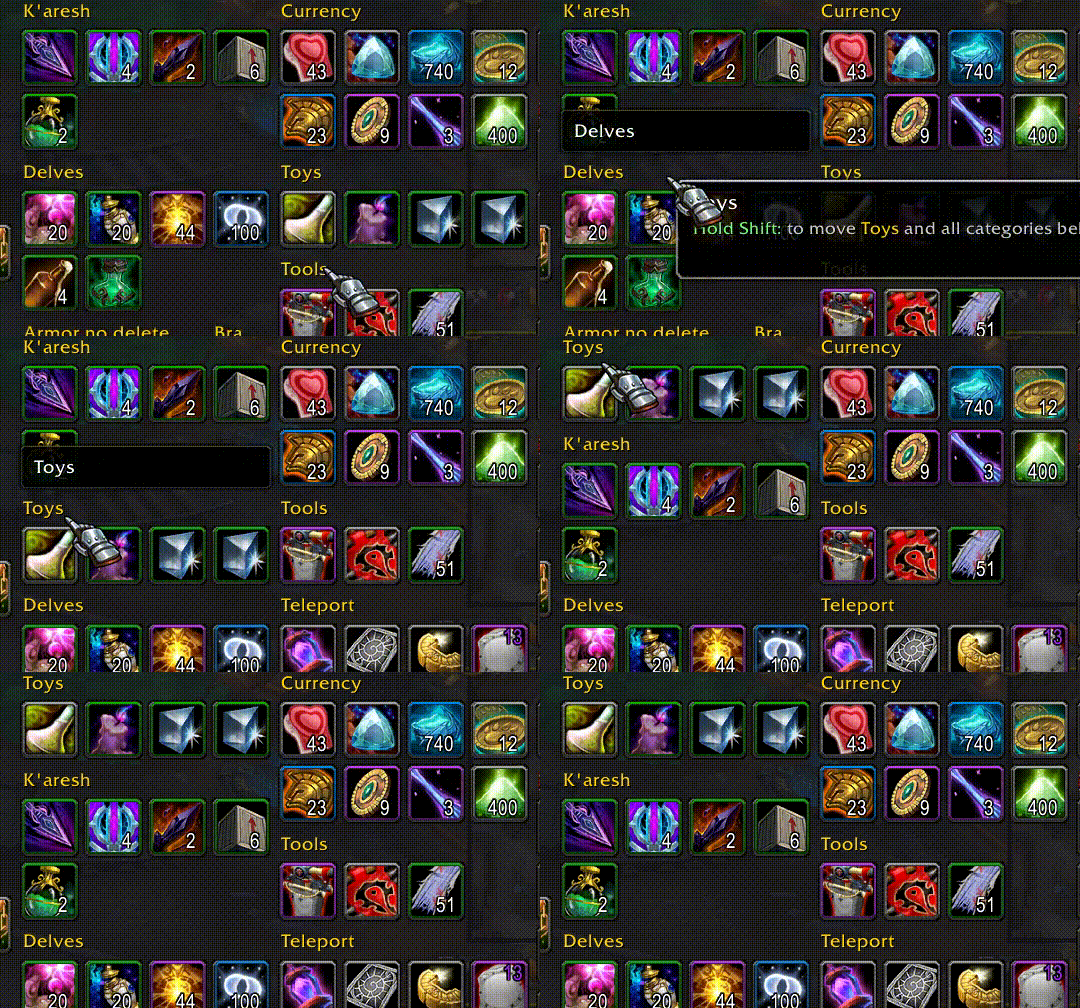
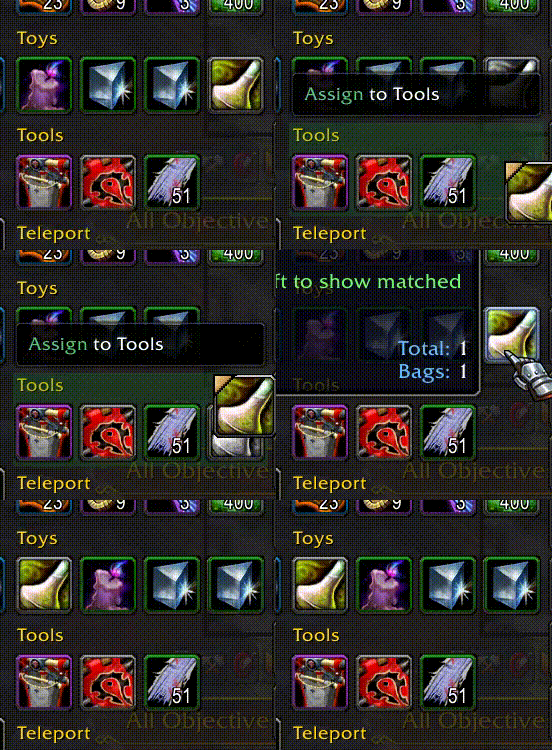
Moving items between categories easily reassigns to a new category and reorders items within a category
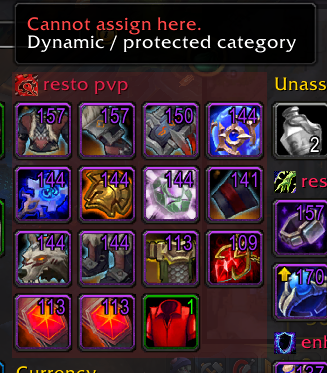
Dynamic equipment categories based on your equipment sets. Please note you cannot assign an item to an equipment set category
Demo
Here are few animations showcasing how easily you can do certain things. You can download entire demo video here
Move categories around

Collapse those with items you do not need to look at too often

Reorder items inside categories to your liking

Create new category and manually assign items to it

Create or modify queries for automatic categorization and use searchable query help if needed

Check tooltips with shift for details of given item categorization priority or query parameters details to create a proper query

Easily delete a category (you can hold shift to skip confirmation)

How it works
- Start with built-in categories, then drag categories/items to shape your layout.
- New items go to
New Items; right-click its header to clear them back to normal categorization. If you do not want that built-in category, you can disable it inSettings -> AddOns -> MyBags. - Items fall back to
Unassignedunless manually assigned or matched by a category query. - Click the top-right cog to enter edit mode for category management:
- add, delete, import, and export custom categories
- mark categories as always visible
- mark categories as not used in a given container (
Bags,Bank,Warbank) - edit query and priority rules for custom categories
- Search filters visible items and combines Blizzard text matching with valid MyBags query matching. Query Help is available in-game next to bag/bank search bars.
- query attributes include item metadata such as anima, artifact power, corruption, transmog-collected state, item description text, and localized
Use:tooltip text viaonUseDescription.
- query attributes include item metadata such as anima, artifact power, corruption, transmog-collected state, item description text, and localized
- The addon starts with a set of default starter groups such as
Junk,Quest,Warbound,Teleport, andUncollected Transmog. Their definitions are documented in the Default Starter Groups section. - If you remove all custom groups and reload the game, MyBags recreates the default starter groups. This is the simplest way to reset your custom-group setup back to the addon defaults.
Import and export categories
MyBags supports category import/export using a plain Lua table payload. It is available when entering edit mode using cog on the top right of the addon.
- Export writes selected custom categories into an import-ready payload.
- Import creates custom categories from the payload entries (you can import multiple categories at once).
- Category data includes
name,query,priority,alwaysVisible, anditems. - Use this flow to move/share category setups with others!
AI prompt workflow
You can also ask AI to help you generate categories based on queries by utilizing the import feature.
- Paste the template prompt below into your AI tool.
- Keep the structure unchanged.
- Modify only the category request list at the end.
- You can review and
importoutput prepared by your AI into the addon ;) !
Template prompt:
Here is a sample exported category (one from the list, though multiple categories can be included at once) that I can import into the MyBags addon:{ version = 1, categories = { { name = "shirts", query = "itemtype=4 and itemsubtype =0 and inventorytype =4", priority = 73, alwaysVisible = false, items = { }, }, },}I would like to create additional categories that I can import. Please refer to the following documentation for the correct query format: https://raw.githubusercontent.com/MyGamesDevelopmentAcc/MyBags/refs/heads/main/QUERY_ATTRIBUTES.mdPlease create a list of categories to import:* Reagents, with a separate category for each expansion* Armor and weapons (combined), with a separate category for each expansionOther features
- Always-available built-in categories:
Equipment Sets,New Items, andUnassigned. - Default starter groups are documented in the Default Starter Groups section of the query reference.
Unassignedis the default fallback and is always visible.- Category headers can be collapsed/expanded.
- Hold
Shifton an item tooltip to inspect matched categories and query attributes. - Tooltip behavior can be changed in
Settings -> AddOns -> MyBags(Default,Shift only,Disabled). - The built-in
New Itemscategorizer can be disabled inSettings -> AddOns -> MyBags. - Item order stays as you define it inside categories.
- Container free space is shown in the footer.
- You can still switch between combined bags and separate bags.
Q&A
List of questions about things regarding the addon or possible extensions.
Will you add a feature to show ilvl?
There are other addons that provide such functionality. The one I really like is Simple Item Levels
Design Decisions
Below are the key decisions made during the development of this addon:
Simplicity First
This addon is designed to be extremely simple and straightforward. It is not intended to be configurable. Instead, it follows a set of default behaviors that I believe will meet the needs of users who choose to use it.
Built on Existing Bags
The addon is designed to enhance the functionality of the default game bags rather than create an entirely new bag system. I’ve observed that many bag addons, when disabled, leave behind features added by the default bags that aren't available in those addons—whether intentionally or not. This addon aims to build on what’s already there, avoiding such issues.
Preserves Default Bag Item Slot Layout
The addon will display items exactly as they appear in the default bag slots. This approach ensures that any new features supported by the default game bags will be available without any additional work.
0 Previews
Versions
Coming soon...