Sightline
15 downloads Updated 1 game version
Screenshots
About
From the README
Adaptive view distance for World of Warcraft: Forever. Sightline keeps your view distancelong where you can see far and shortens it where buildings, walls or water are in the way, soa high setting costs frames only where it gives you something to look at. It also calibratesevery place you visit so your frame rate stays at or above a goal.
It is not occlusion culling. An addon cannot change what the game draws; Sightline changesthe view-distance settings the game already has, using what the game reports about where youare: indoors, in a city, in an instance, resting, underwater. Your own settings are theceiling, and they are put back when you log out.
Features
- Your settings are the 100%. Whatever you set in the graphics menu or the console is thefull value. Sightline only scales down from it, picks up a change you make while it isscaled, and restores your values on logout and
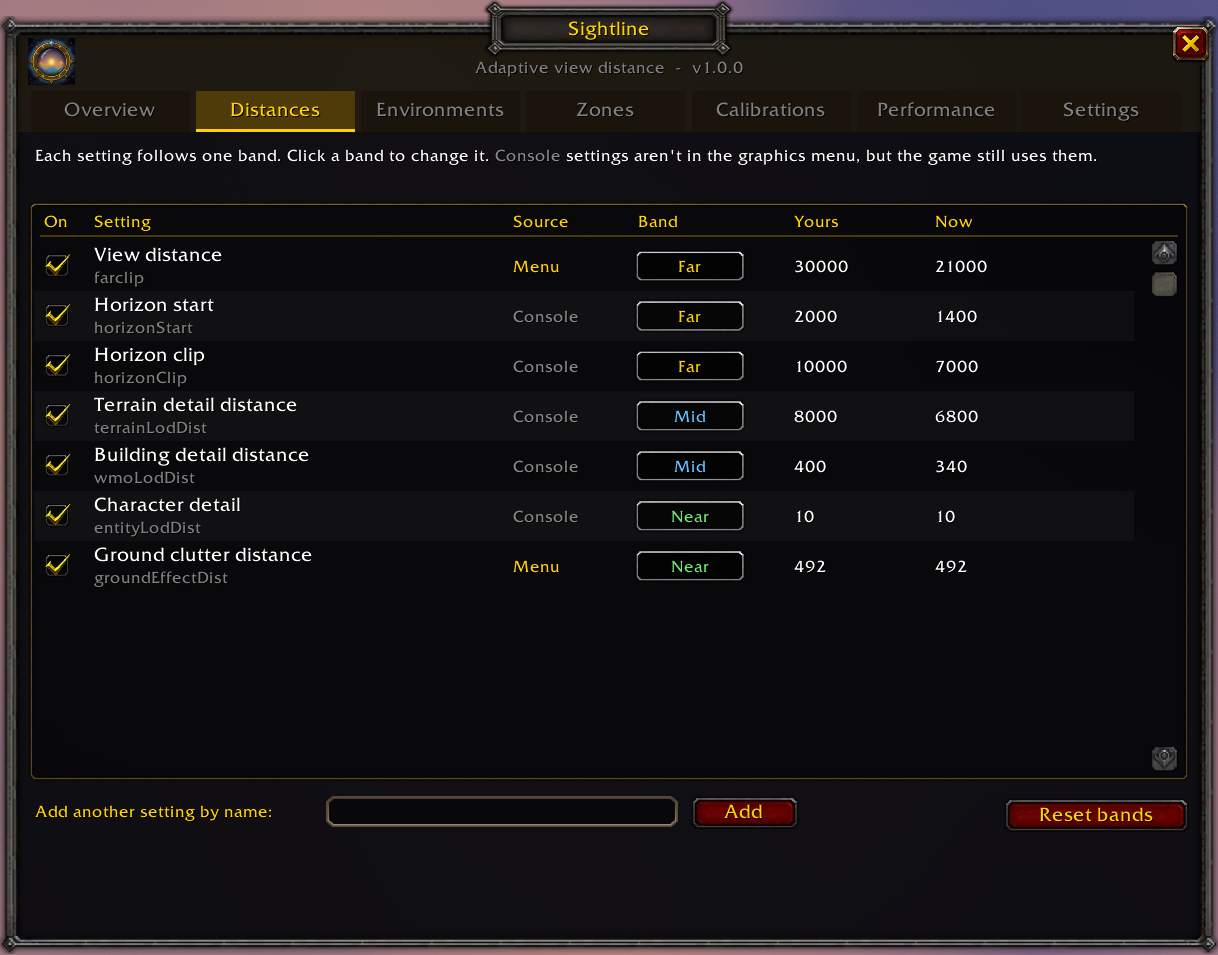
/reload. - Three bands, scaled by different amounts. Far settings (terrain, horizon) are thefirst thing a wall hides, so they drop the most. Mid settings (building and terraindetail) drop about half as much. Near settings (ground clutter, characters) barely move.Every setting can be switched off or moved to another band, and any other numeric settingcan be added by name.
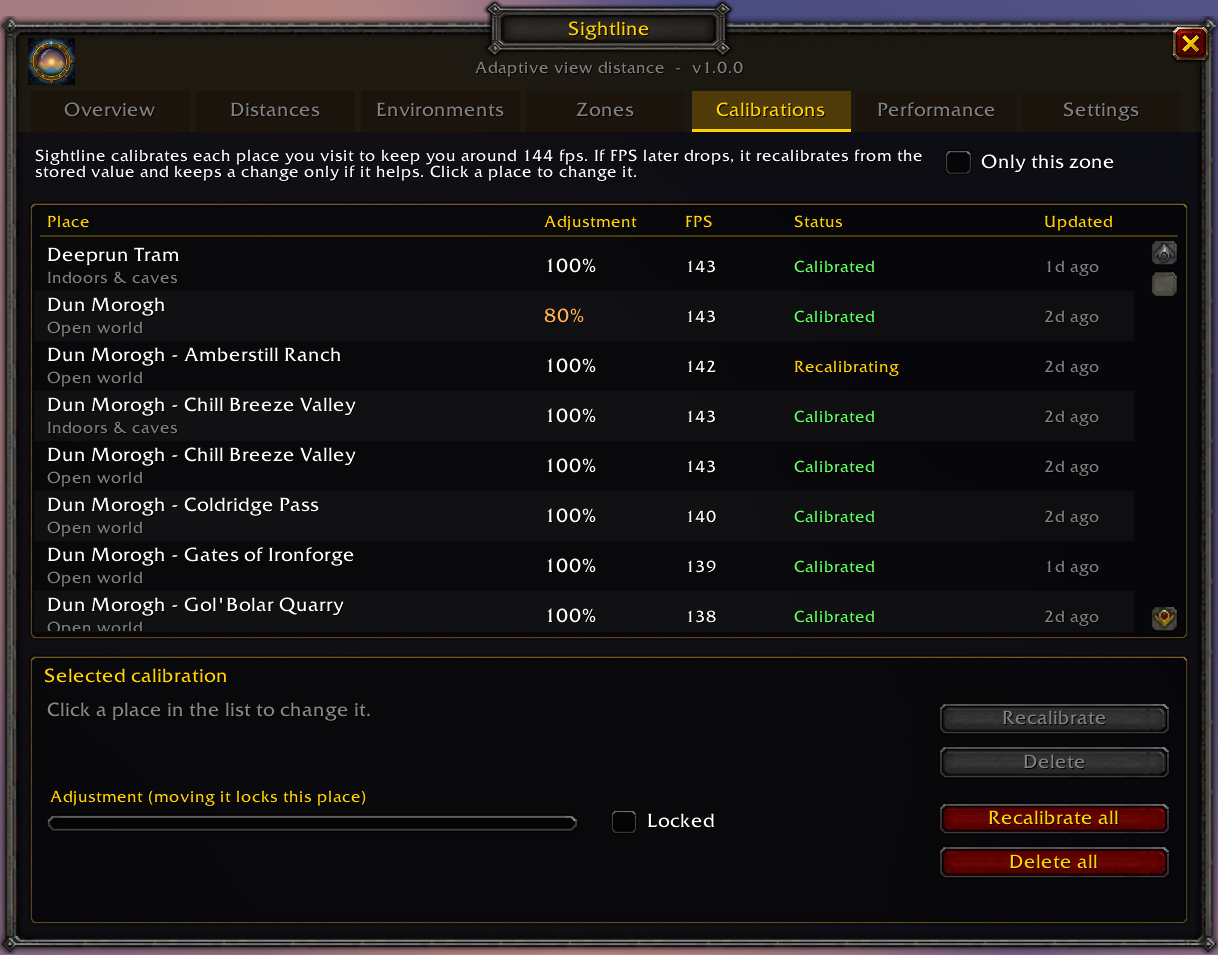
- A calibration for every place. The first time you enter a subzone, Sightline lowers thedistances a step at a time until you hold at least 60 FPS, and saves the result. If FPSdrops there later it recalibrates from the saved value. A step that makes no noticeabledifference is reverted, and where lowering stops helping, view distance is given back.
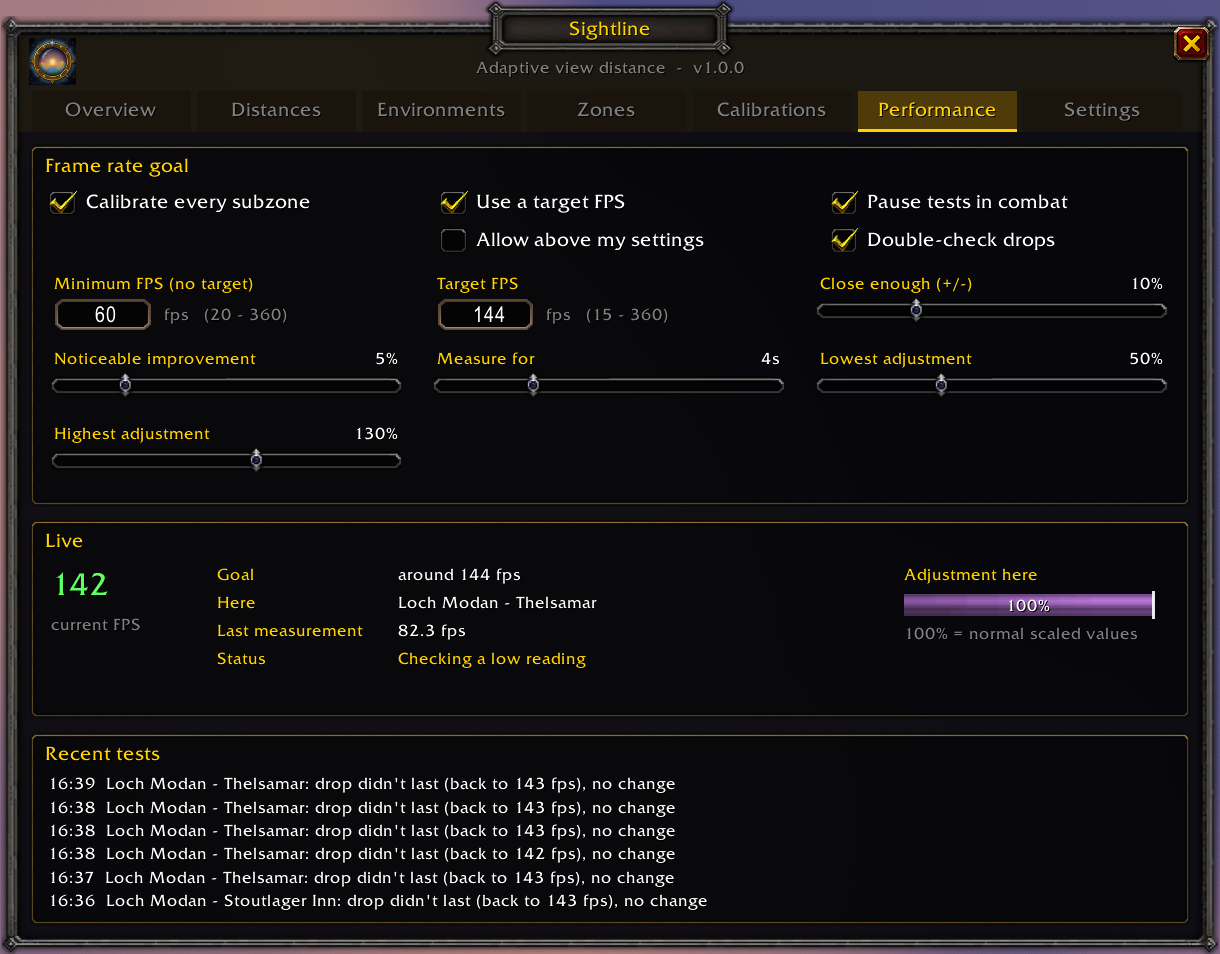
- An optional target FPS. Aim for a frame rate instead of a minimum. With spare frames,distances can also be raised, past your own settings if you allow it.
- Knows when you have alt-tabbed. An addon cannot see whether the game is in thebackground. A low reading is measured again before anything changes: FPS holding at yourbackground FPS cap means the game is in the background, and anything else is measured oncemore with that cap switched off for a moment.
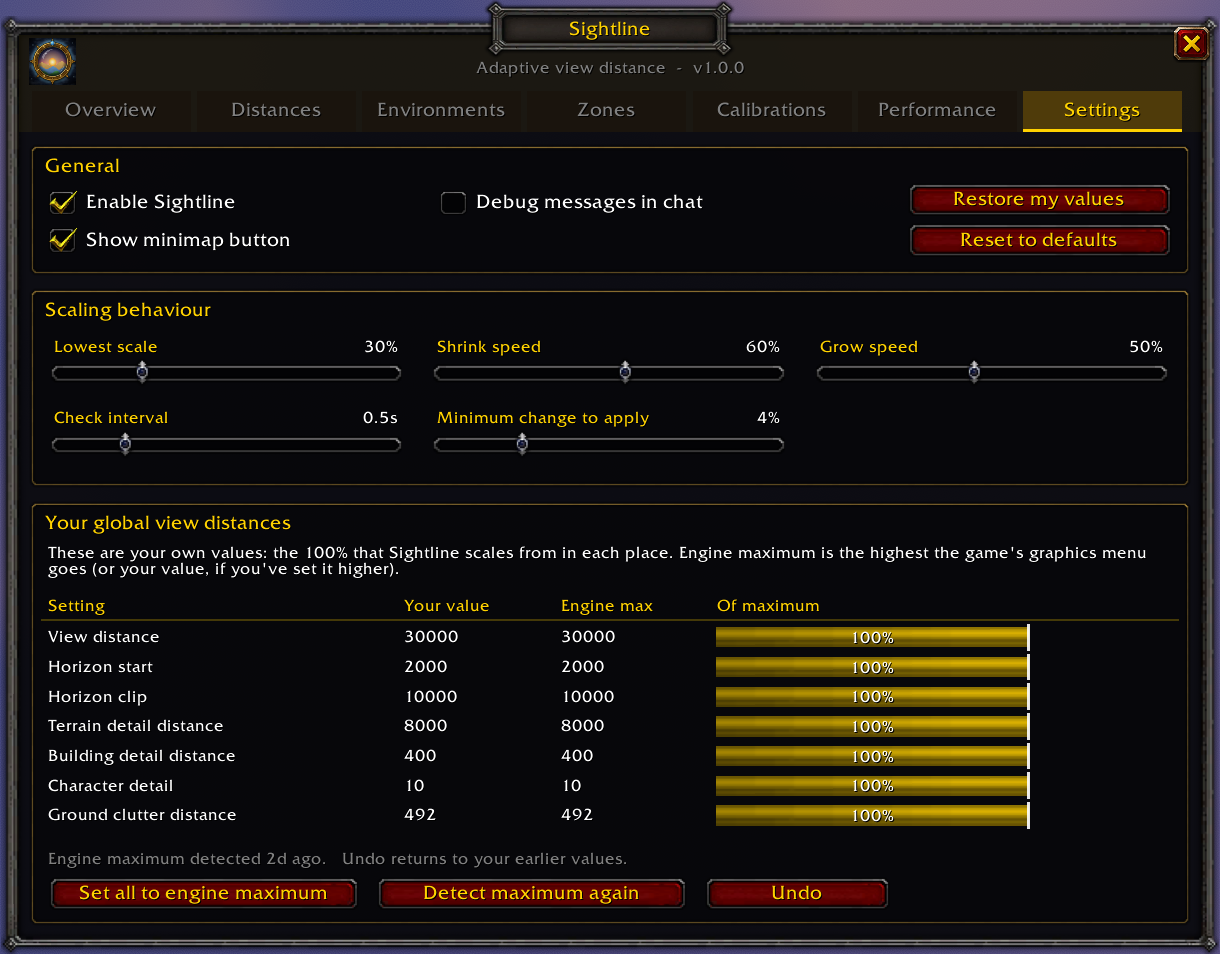
- Engine maximum. One button raises every view-distance setting to the highest thegraphics menu goes, so Sightline has the most to work with. It can be undone.
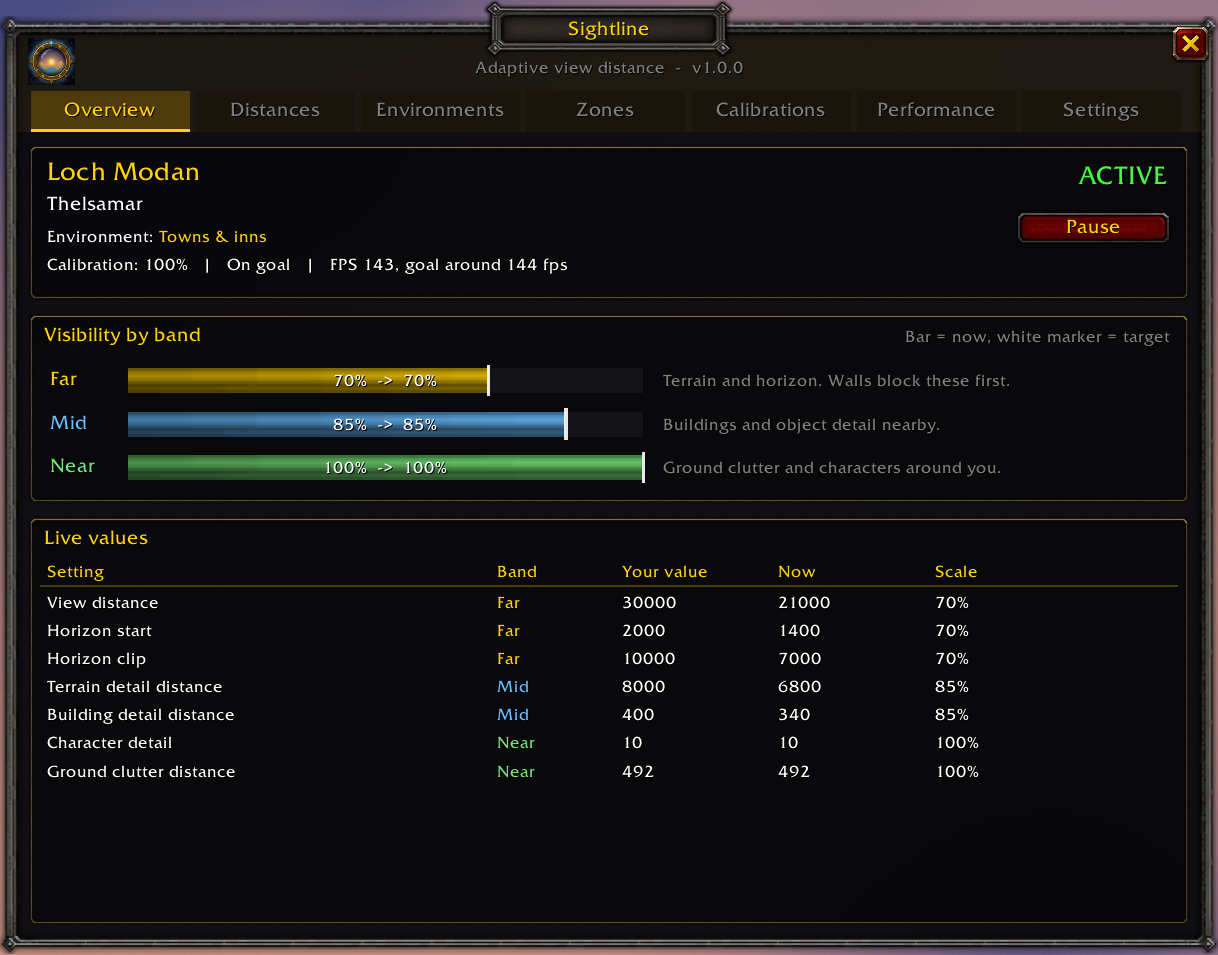
- A window for everything. Live values for the place you are in, every setting, the listof calibrations (each can be set by hand, locked, redone or deleted) and a log of recenttests.
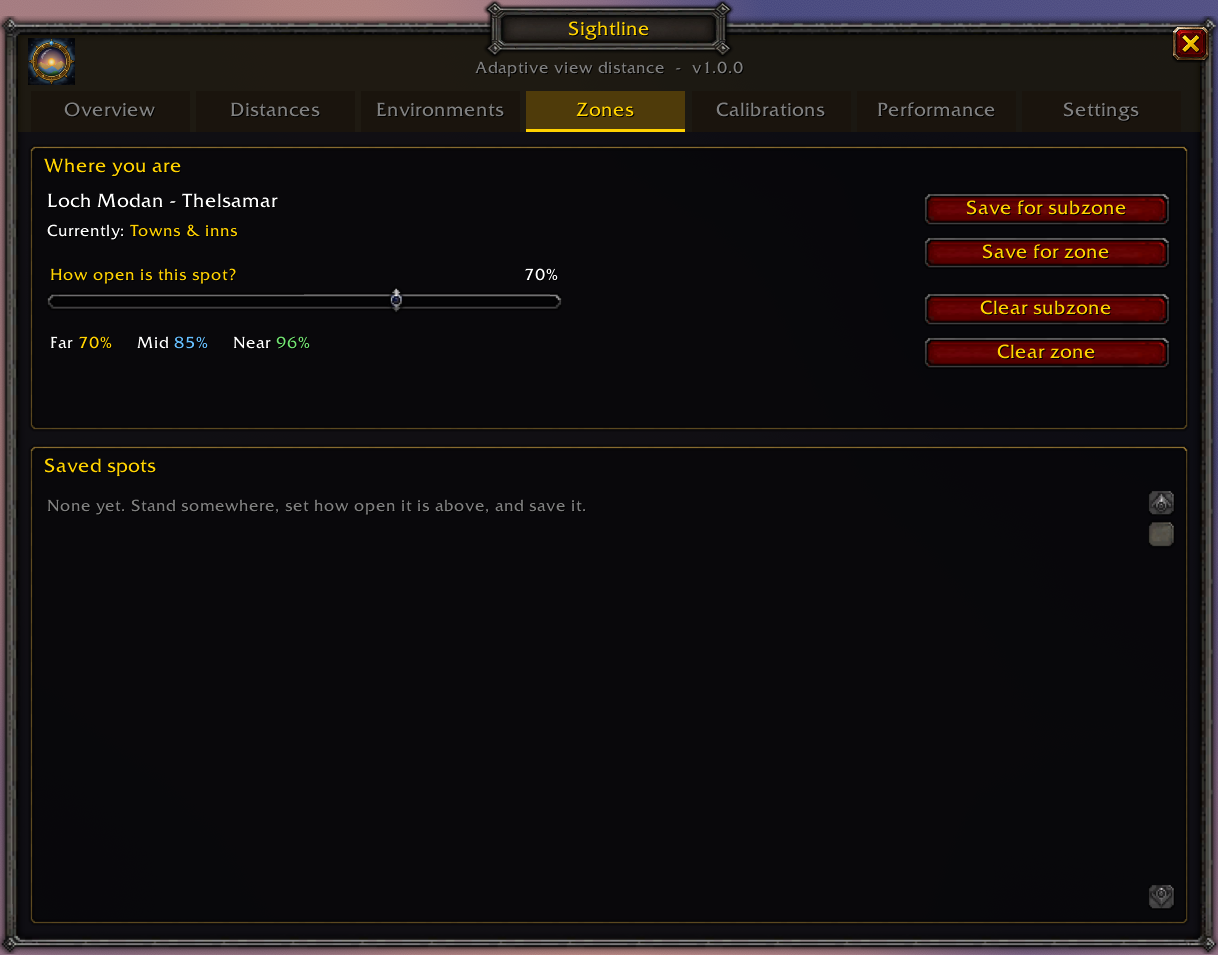
- Teach it a spot. The game does not say when you are in a narrow canyon or a denseforest. Stand there, set how open it is, and save it for the subzone or the whole zone.
Installing
Releases go to CurseForge and to this repository'sReleases page. To install by hand, downloadthe zip from the latest release and unzip it into your Forever client's Interface/AddOnsfolder, so that Sightline.toc is at Interface/AddOns/Sightline/Sightline.toc. Restart thegame.
The first time you log in, Sightline asks whether to start from the engine maximum or fromthe view distances you have now.
Using it
/sight (or /sightline) or the minimap button opens the window. Right-clicking the minimapbutton pauses Sightline and puts your settings back.
| Tab | What it is for |
|---|---|
| Overview | Where you are, how each band is scaled, and every setting's current value |
| Distances | Which settings are managed, and the band each one follows |
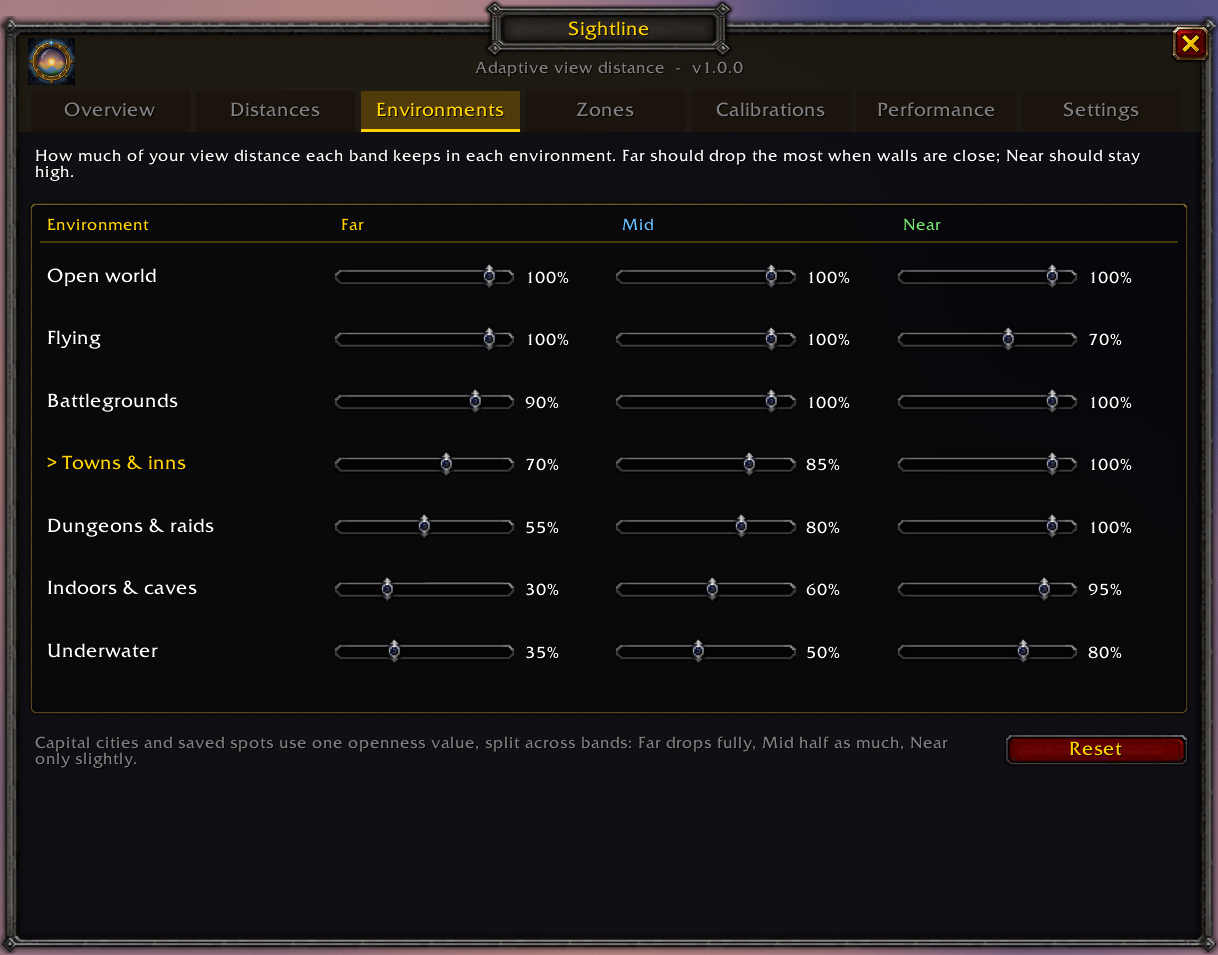
| Environments | How much each band keeps in each kind of place |
| Zones | How open a spot is, saved for a subzone or a zone |
| Calibrations | Every calibrated place: set by hand, lock, recalibrate or delete |
| Performance | The FPS goal, how tests are judged, live FPS and recent tests |
| Settings | Scaling speed, the minimap button, and your values against the engine's max |
| Command | Does |
|---|---|
/sight | Opens or closes the window |
/sight on, /sight off | Resumes, or pauses and restores your settings |
/sight fps 75, /sight fps off | Sets a target FPS (15 to 360), or turns it off |
/sight here 60, /sight here clear | Saves or clears this subzone's openness (0 to 100) |
/sight zone 60, /sight zone clear | The same for the whole zone |
/sight minimap | Shows or hides the minimap button |
/sight debug | Prints each change and test to chat |
How it works
Openness. Twice a second Sightline works out what kind of place you are in and scaleseach band from the table below. Capital cities and saved spots use one openness valueinstead: Far takes the whole drop, Mid half of it and Near 15%.
| Where | Far | Mid | Near |
|---|---|---|---|
| Open world | 100% | 100% | 100% |
| Flying | 100% | 100% | 70% |
| Battlegrounds | 90% | 100% | 100% |
| Towns and inns | 70% | 85% | 100% |
| Dungeons, raids | 55% | 80% | 100% |
| Underwater | 35% | 50% | 80% |
| Indoors, caves | 30% | 60% | 95% |
The settings it manages are farclip, horizonStart and horizonClip (Far),terrainLodDist and wmoLodDist (Mid), and entityLodDist and groundEffectDist (Near).Only the first and last have a control in the graphics menu; the game uses the others all thesame. Any that the client does not have are skipped. Values move towards their target over asecond or two, and small changes are skipped, because every change makes the game load orunload terrain.
Calibration. On top of that, each place (zone, subzone and kind of place) has anadjustment between 50% and 100%. FPS is averaged over four seconds, after the terrain hasfinished loading. Below the goal, a step of 10% lower is tested and kept only if FPS rises byat least 5% and 2 FPS; otherwise it is reverted and not tried again for 90 seconds. A drop ismeasured twice before anything is lowered, and tests stop in combat.
The engine maximum. The addon API cannot report a setting's maximum. Sightline sets thegraphics menu's View Distance, Environment Detail and Ground Clutter to their top level for asecond, reads the values the game picks, and puts the menu back.
Limits
- It estimates. It cannot see the wall in front of you, only that you are in a city. Savedspots are how you correct it.
- Lowering view distance helps when the graphics card is the limit. In a crowded city theprocessor usually is, and Sightline will report that lowering did not help.
- If your real frame rate sits exactly at your background FPS cap, Sightline takes the gameto be in the background and leaves that place alone.
- Detecting the engine maximum goes through the graphics menu's presets, which can resetconsole-only settings Sightline does not manage to the preset's values.
- Capital cities are recognised by Classic's map IDs and their English names.
Development
Core.lua holds the scaling and calibration, GUI.lua the window, minimap button andwelcome dialog, and Media/Icon.svg is the source of the icon (Media/Icon.tga, 128px).
tests/sim.lua plays through the addon against a stand-in for the game's API: scaling,calibration, alt-tabbing, the engine maximum and every control in the window. It needsnothing but Lua 5.1, the version the game runs, and CI runs it on every push:
lua5.1 tests/sim.luaCommit messages follow Conventional Commits.
Releasing
The version is in Sightline.toc and Core.lua. To cut a release:
- Set the new version in both, add its notes to the top of
CHANGELOG.md, and commit itaschore(release): 1.0.1. - Tag that commit and push the tag:
git tag v1.0.1 && git push origin v1.0.1. release.ymlchecks the tag against the version, runs the tests, packages the addon(.pkgmetasays what stays out of the zip) and publishes a GitHub Release with the zipand the changelog. A tag withalphaorbetain it makes a pre-release.- CurseForge packages the same tag itself, told of the push by the repository's webhook,and reads the same
.pkgmeta.
Running the workflow by hand (Actions, release, Run workflow) packages withoutpublishing: the zip is attached to the run.
Licence
Copyright (C) 2026 TheWeion. Sightline is free software: you can redistribute it and modifyit under the terms of the GNU General Public License, version 3. It comes with nowarranty.
WowUp installs Sightline and keeps it up to date, along with the rest of your addons.
Download WowUp