Finding and installing addons
Search and browse addon sources, or install an addon from a link.
Get Addons is where you find and install new addons, for whichever game version you pick at the top.
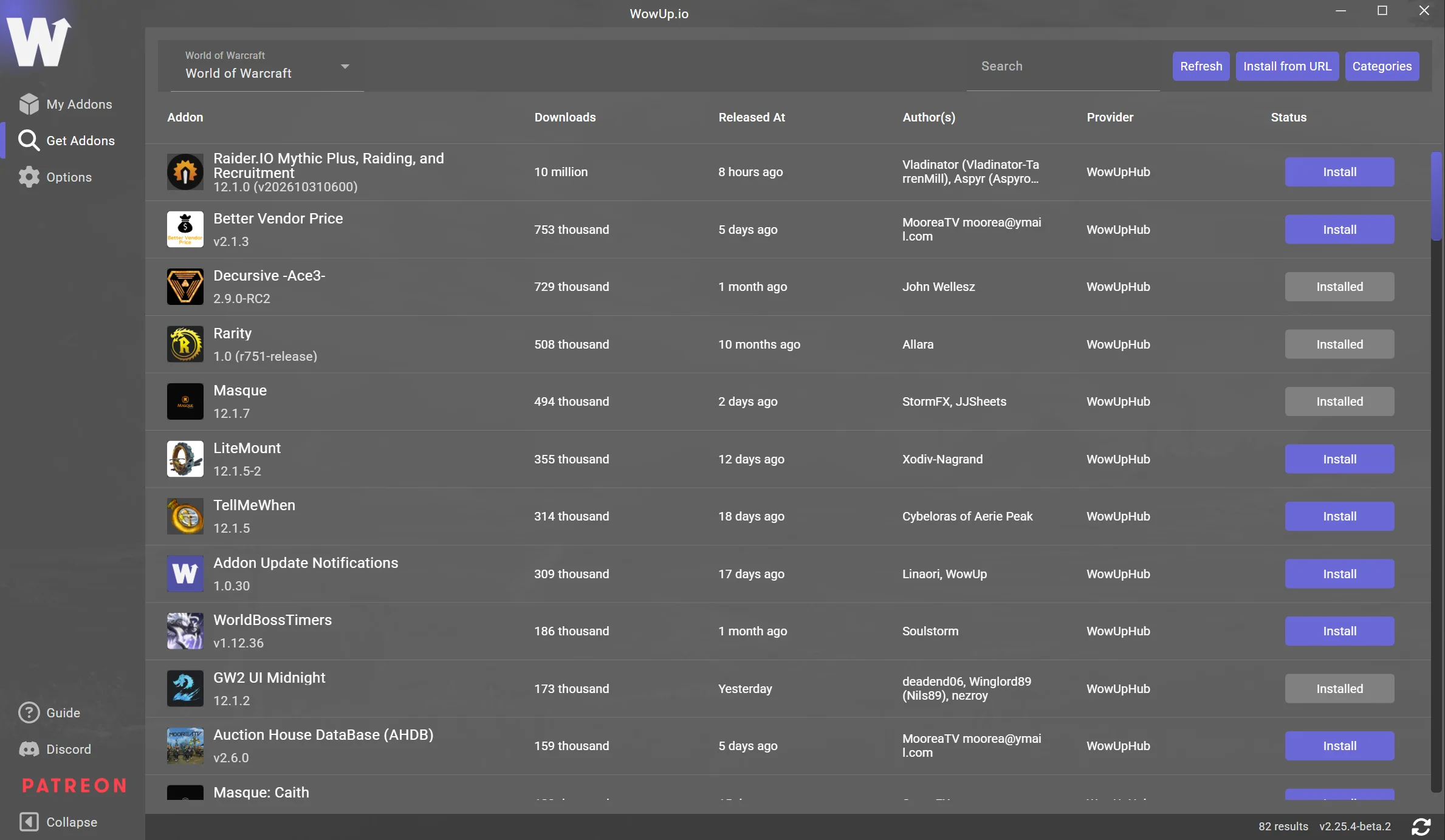
Where addons come from
Get Addons lists and searches the sources your edition of WowUp includes:
| Source | WowUp with Wago | WowUp with CurseForge |
|---|---|---|
| WowUp Hub (GitHub and GitLab) | Yes | Yes |
| Wago | Yes | No |
| CurseForge | No | Yes |
| TukUI | Yes | Yes |
You can turn sources off under Options › Addons.
Categories narrows the list to one kind of addon, such as bags or unit frames.
Install from URL
Install from URL installs an addon you can't find through search. Paste a link to:
- A GitHub repository
- A WowInterface addon page or download
- A CurseForge addon page, in WowUp with CurseForge. Not every addon works this way.
- A zip file anywhere on the web

GitHub repositories
WowUp installs from GitHub when the author publishes releases with the addon as a zip file. The WowUp addon example is a working repository to compare with.
For a Classic game version, WowUp looks for a zip whose name ends in that version, such as -classic, -mists, -bc or -forever.
Zip files
A zip link installs once. WowUp has nowhere to check for updates, so it marks the addon as ignored.